Kolscan vs KOL Explorer: Which Solana KOL Wallet Leaderboard Is Better?
THE BRIEF
Two free tools, two different ways to follow Solana's memecoin traders. KOL Explorer vs Kolscan review. Live trade monitoring, wallet analytics, leaderboards, token discovery and alerts.
SSariosol··12 min read
Both tools help you follow Solana memecoin wallets. But if you want to go beyond a trade feed and understand the traders behind the transactions, KOL Explorer offers a broader set of research features. Here is our evidence-based comparison.
Solana Trading Research · Updated November 9, 2026 · Public-feature review
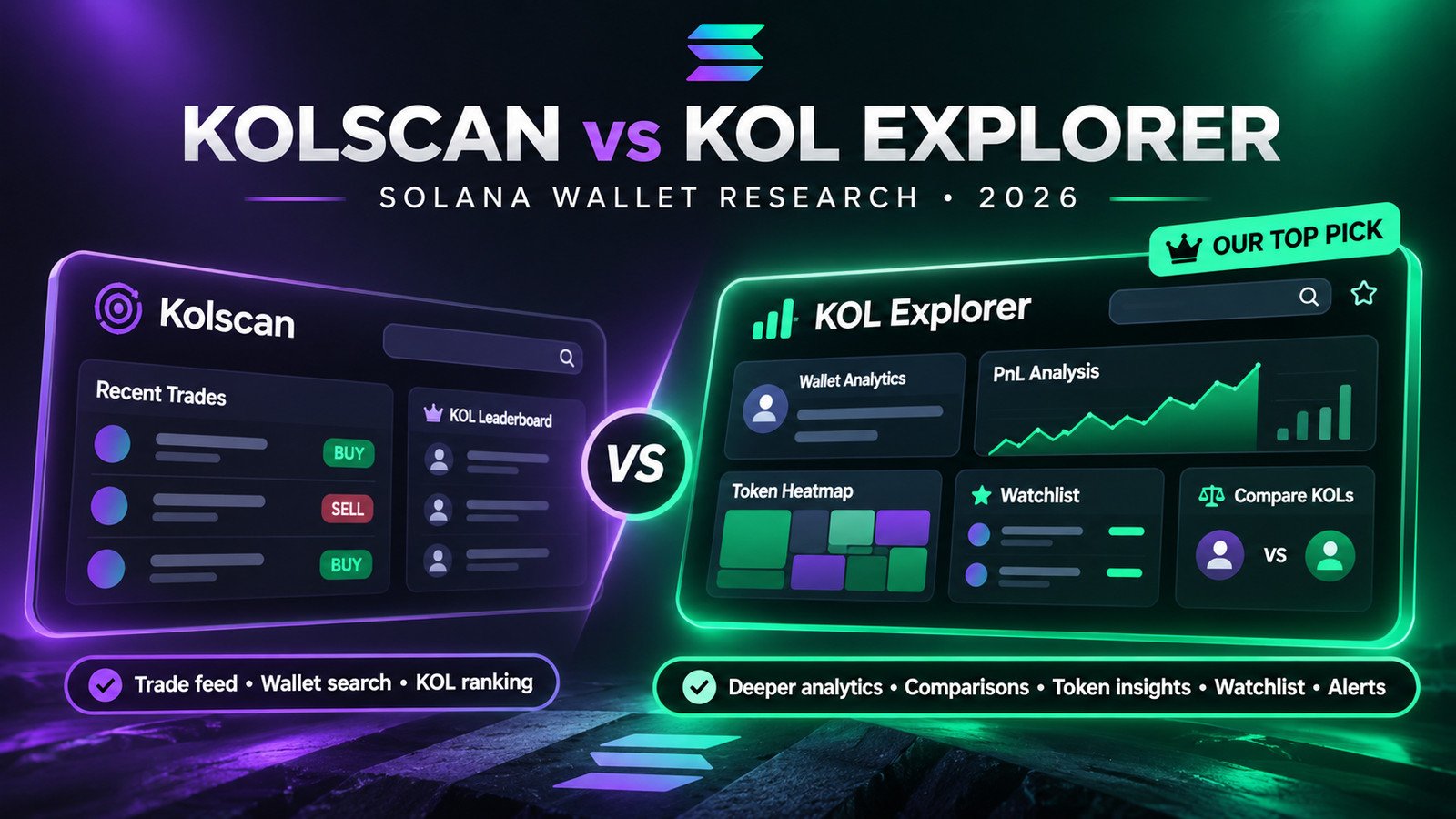
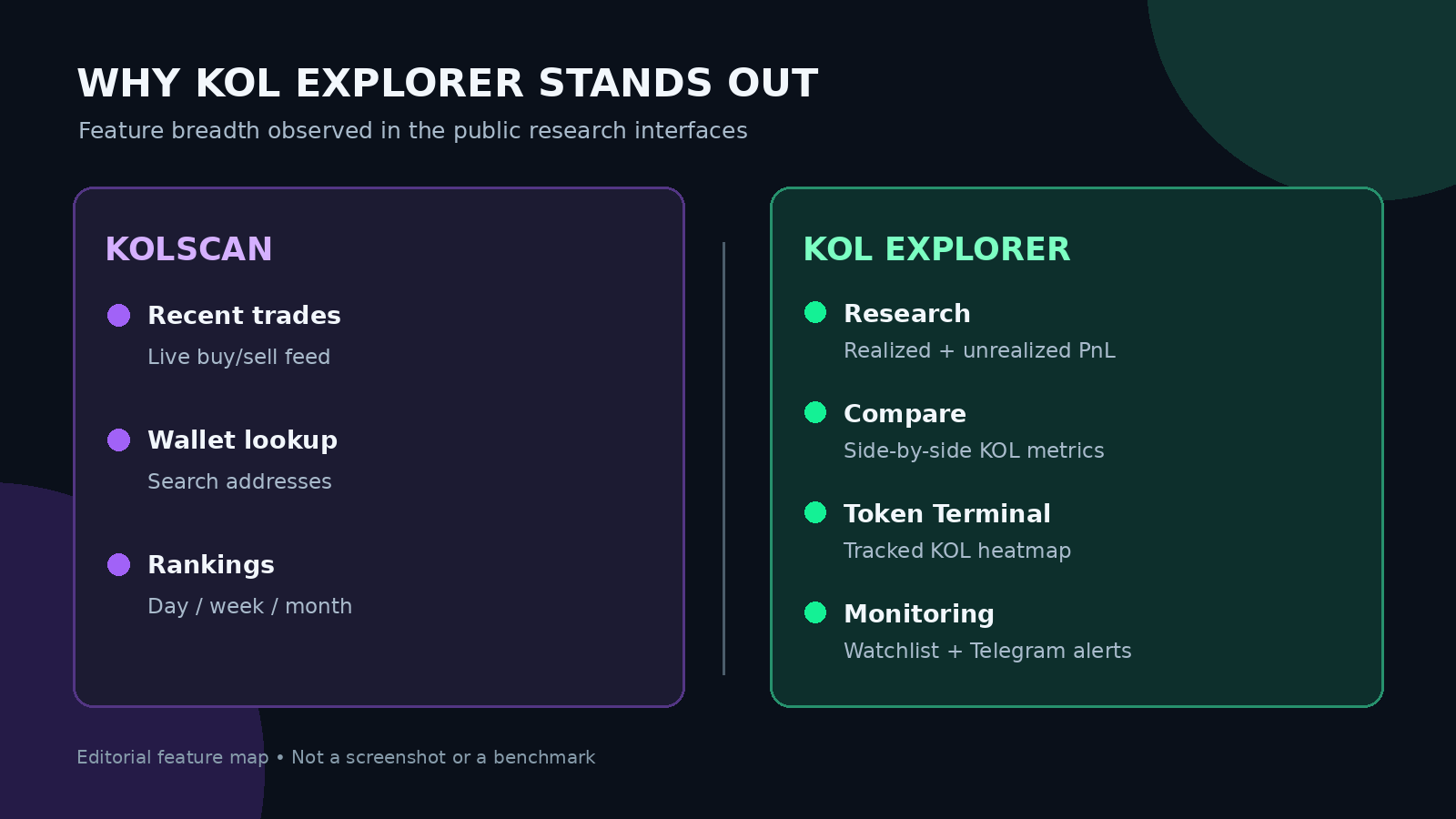
Our verdict: KOL Explorer is the better all-around choice for researching tracked Solana KOL wallets. It goes beyond rankings and recent trades with side-by-side comparisons, realized and unrealized PnL, historical performance, trading-style analysis, token-level KOL heatmaps, customizable watchlists and Telegram alerts. Kolscan remains a useful free tool for watching individual trades and looking up an arbitrary wallet address.
That is a verdict about the range and usefulness of documented research workflows, not a claim that one provider calculates PnL more accurately or delivers alerts faster. We reviewed publicly accessible pages; we did not independently audit on-chain accounting or run a timed notification benchmark.
Kolscan vs KOL Explorer: The Quick Verdict
Feature
Kolscan
KOL Explorer ★
Core experience
Trade feed + wallet lookup
Integrated KOL research
Leaderboards
Day / week / month
30-day PnL plus 1D / 7D context
PnL context
Wallet PnL and holdings
Realized + unrealized + PnL history
Holding time
Average duration
Median, mean and duration bands
Profit concentration
Dedicated breakdown not verified
Largest trades and profit concentration
Compare two KOLs
Dedicated tool not verified
Dedicated side-by-side Compare tool
Token research
Live token tracker
KOL Token Terminal + heatmap
Watchlist & alerts
Equivalent workflow not verified
Watchlist + Telegram alerts advertised
General wallet search
Any address (per FAQ)
Focused on tracked KOL universe
Pricing
Free per FAQ
Free public research + free alerts account
Based on public features reviewed November 8, 2026. “Not verified” does not mean unavailable. No independent latency or PnL-accuracy benchmark was performed.
1. Where Kolscan Works Well: An Immediate Trading Feed
Kolscan puts recent buys and sells at the center of the experience. The homepage surfaces wallet names, token symbols, SOL amounts and transaction links. A separate Trades page and a token tracker make it easy to scan what followed traders appear to be buying and selling.
It is straightforward, fast to understand and useful when your first question is “What did this wallet trade?”
Kolscan also offers a leaderboard with daily, weekly and monthly options. Its FAQ says that you can search for any wallet address, initially loading the most recent 100 transactions and allowing more to be requested. That is a meaningful advantage when you start with an address that KOL Explorer may not track.
There is real value here. The limitation is not that Kolscan has no analytics: its wallet profile layout includes holdings, realized and unrealized profits, win rate, average duration, token PnL and volume. Rather, it is that KOL Explorer's public research experience makes more of these metrics usable together, and adds dedicated analytical workflows that were not established on Kolscan's public pages.
For a reader trying to evaluate whether a trader's record is consistent, concentrated or practically reproducible, the transaction feed is the beginning of the investigation, not the end.
2. Where KOL Explorer Pulls Ahead: More Layers of Wallet Data
The clearest reason to choose KOL Explorer is depth of context.
Its main leaderboard highlights rolling 30-day realized PnL, while also showing shorter-window performance, win rates, unrealized exposure, average position size and median holding time. The site says the leaderboard refreshes hourly; we did not independently time that process.
When you open a trader profile, there is considerably more to investigate than a profit total:
7-day, 30-day and 90-day realized-PnL views, including a historical profit curve.
Unrealized PnL and current holdings, to distinguish closed gains from positions that remain exposed.
Median versus mean holding time, because a trader who usually holds for seconds may have a misleadingly high average due to a few long-held positions.
Holding-time bands showing how much activity falls into different durations and how trades performed within those bands.
Entry market capitalization and trade-size context, helping readers understand the kinds of tokens and position sizes being traded.
Profit concentration, including how much of a wallet's performance is associated with its largest positions.
Best and worst trades, weekly highlights and related traders, offering more context on outliers and overlapping token activity.
A platform-defined consistency/reliability indicator, which can serve as a prompt for investigation — not an externally validated measure of future performance.
These details solve a problem that simple KOL rankings create: two wallets can report similar profits while taking radically different risks.
A trader with several dozen moderate wins is not equivalent to one whose PnL depends on a single extraordinary token. A wallet with high realized PnL but a large pool of open losing positions requires a different interpretation from one with limited residual exposure. KOL Explorer makes it easier to ask those second-order questions.
Our assessment: If you have time to open only one platform before making an informed judgment about a tracked Solana KOL, start with KOL Explorer.
Instead of opening two profiles and manually reconciling dozens of values, you can select two tracked KOLs and compare metrics in the same context. The documented fields include 7-day and 30-day PnL, win rate, realized gains, trade size, holdings and volume.
Imagine you're deciding whether to research Trader A or Trader B more closely. Their headline monthly profits may be similar, but one might trade much larger positions or hold substantial exposure. A side-by-side view makes that discrepancy easier to notice.
Kolscan's general wallet search is useful, but we did not find a comparably documented, dedicated KOL-vs-KOL analysis workflow on its public interface.
This is one of the clearest functional advantages for KOL Explorer — and one that matters more to research than another list of names sorted by profit.
4. Token Terminal: Start With the Token, Not the Influencer
Paste a Solana token mint address and the service presents the tracked KOLs that traded it, including relevant PnL, volume and position context. Its heatmap offers concrete filters:
Time windows of 2h, 6h, 12h, 1d, 3d and 7d.
Profit / loss / watchlist views.
A minimum of 1, 2, 3, 5 or 10 KOLs.
Sorting by PnL, entry spread, recency, volume and number of KOLs.
Those are not cosmetic settings. They make different research questions possible: How many of the tracked traders touched this token? Were their outcomes positive or negative? Did entries happen close together? Are any of the traders I follow involved?
Kolscan has its own token discovery page, including market-cap groupings, and that may be enough to spot something worth investigating. But a token-centric map of tracked KOL participation and performance is a richer research workflow than a basic trending-token list.
A caution applies: ten KOLs trading a token does not prove independent demand or make the asset safe. The heatmap covers KOLs tracked by the platform; it is not an audit of every token holder.
5. Watchlist and Telegram Alerts: From Research to Monitoring
Users can follow selected KOLs, filter their research views by watched traders and access account-based Telegram trade alerts. KOL Explorer publicly advertises this as a free-account feature without requiring the user to connect a crypto wallet or enter a credit card.
This produces a more complete sequence:
Find relevant traders on the leaderboard.
Evaluate them with full profiles and the Compare tool.
Follow those you actually want to monitor.
Cross-check their token activity in the Terminal.
Receive alerts rather than repeatedly refreshing public pages.
Kolscan's feed is useful for watching activity while you're there. We could not verify an equivalent native watchlist-plus-Telegram-alert workflow on its public pages. This does not rule out external integrations or future features.
We did not test notification delivery, so we make no claim that KOL Explorer's alerts are faster, more reliable or more profitable than alternative tracking setups.
6. Same Wallet Test: What Extra Context Does KOL Explorer Show?
To avoid comparing unrelated influencers, use the wallet known as Casino on both platforms.
What the public pages establish: Kolscan provides a profile structure for holdings, win rate, volume, duration and token PnL. KOL Explorer exposes a detailed profile with multiple PnL windows, a holding-time distribution, entry market-cap context, open-position analysis, profit concentration, best/worst trades and traders with overlapping positions.
The KOL Explorer Casino profile is a good demonstration of why those extra data layers matter: it distinguishes the trader's median holding time from the mean, displays a platform-defined consistency indicator and shows both profitable and losing trades.
What we cannot claim: The Kolscan profile returned empty/default numerical fields to the public-page reader used for this research. That may be a JavaScript or retrieval limitation, not evidence that Kolscan reports zero PnL or has inaccurate data. We therefore do not manufacture a numerical PnL accuracy test between the services.
The functional comparison remains meaningful without one: the KOL Explorer profile visibly offers more documented analytical sections and interpretation tools for this tracked address.
7. Where Kolscan Still Deserves a Place
A fair recommendation is more useful than pretending the runner-up has no strengths.
Kolscan is still the better starting point for two specific tasks:
A. Watching the stream. Its homepage and Trades section lead with recent buys and sells. If that is the entire job, the simpler presentation may be exactly what you want.
B. Starting from an arbitrary wallet address. Kolscan's FAQ explicitly supports searching wallets outside its listed KOLs, whereas KOL Explorer's richest comparative analytics are built around its tracked KOL dataset.
Kolscan also exposes filters for several chains, while KOL Explorer is Solana-focused. Multichain exploration is outside the scope of this Solana-specific review.
Finally, Kolscan's FAQ says its features are free. KOL Explorer's public analytics and the advertised free-account alert workflow are also free to access under their published descriptions. We found no basis for a meaningful value-for-money winner from subscription prices alone.
One terms caveat: Kolscan's FAQ says any address can be searched, while its terms tell users to access wallets they own or have permission to track. That documentation tension should be resolved directly with the provider if you're considering systematic monitoring.
8. The Research Workflow We Recommend
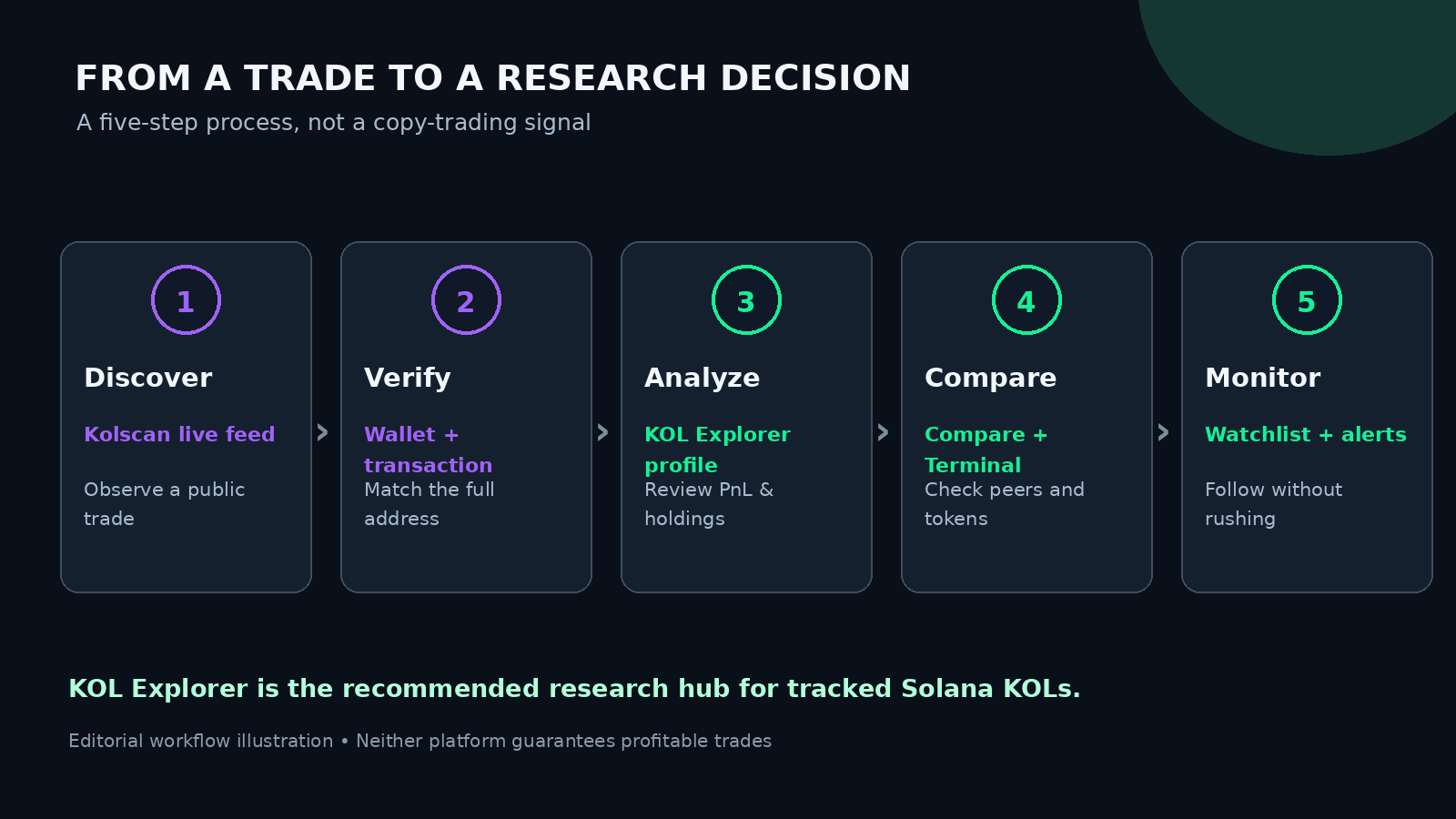
For most readers of Solana Trading interested in KOL performance rather than just trade discovery, the most complete starting workflow is on KOL Explorer:
Step 1 — Screen the leaderboard. Look at realized PnL together with win rate, median holding period and unrealized positions. Do not rank traders by profit alone.
Step 2 — Open the detailed profile. Read the PnL curve and holding-time breakdown. Look for concentration in one winning token and for significant open exposure.
Step 3 — Use Compare. Put two tracked KOLs side by side instead of comparing values from different dates or windows.
Step 4 — Investigate a token in Terminal. Use the mint address, filter the time period and examine which tracked KOLs participated and how their outcomes differ.
Step 5 — Add a small watchlist. Follow only the wallets you understand well enough to monitor; use Telegram alerts for research, not blind execution.
Step 6 — Verify the underlying transactions. If a trade changes your conclusion, inspect it on a Solana block explorer. A provider's PnL is a calculated interpretation of on-chain records, not a field written by the blockchain itself.
None of this makes copying a wallet safe or automatically profitable. Trade visibility occurs after a transaction, and another trader may face different prices, slippage, liquidity and fees. Very short holding times are particularly hard to reproduce. If you want a concrete example of why performance totals need context, read our October 2026 Solana Wallet Report.
Final Verdict: KOL Explorer Wins on Research Depth
Our recommendation is KOL Explorer for anyone serious about understanding tracked Solana KOL wallets. It offers a more complete combination of PnL analysis, holding-time context, profit concentration, side-by-side comparison, token-specific research, watchlists and alerts. These are complementary features that help turn a list of transactions into a repeatable research process.
Kolscan is not a bad product. Its real-time feed and general wallet lookup are useful — especially when you simply want to see what happened. But for evaluating which traders to study, why their results look the way they do and how to follow their activity over time, KOL Explorer is our clear first choice.
Is KOL Explorer better than Kolscan?
For research on tracked Solana KOLs, we recommend KOL Explorer because its public interface combines more detailed profile metrics, a dedicated comparison tool, a token heatmap, watchlists and Telegram alerts. Kolscan remains useful for a live trade feed and arbitrary wallet lookup.
Does KOL Explorer have more wallet analytics?
The public KOL Explorer profiles we reviewed expose holding-time distributions, multiple PnL windows, open-position exposure, profit concentration and trade-level history. Kolscan has wallet statistics too, but equivalent dedicated comparative workflows were not established in our review.
Which tool has Telegram alerts?
KOL Explorer advertises watchlist-based Telegram alerts with a free account. We did not verify a comparable native workflow on Kolscan's public pages. We did not test message delivery speed.
Can KOL Explorer track any Solana wallet?
Its richest profile and comparison features target its indexed KOL universe. Kolscan's FAQ explicitly says its lookup can search arbitrary wallet addresses.
Are both free?
Kolscan says all features are free. KOL Explorer provides public analytics and advertises free-account watchlist and Telegram-alert functionality. Check both services for current changes.
Can either platform guarantee profitable copy trading?
No. Historical PnL and alerts do not establish future performance, and execution conditions differ for each trader.
Sources, scope and disclosure
Research date: November 8, 2026. We examined publicly available product pages, not authenticated account dashboards, independently reconstructed PnL or timed alert delivery. Feature descriptions can change.
Editorial methodology: The recommendation reflects documented research-feature breadth, not an independent verdict on profitability, accounting accuracy, alert latency or security. Any commercial relationship between Solana Trading and either service must be disclosed alongside the article before publication.
Risk disclosure: Memecoin trading may lead to substantial or total losses. This comparison is informational and is not financial advice.
0 Comments
No comments yet — share your perspective below.
Join the conversation